BOOKING & CHECK-IN
Hotel am Stadtpark Nordhausen

From Booking to Your Room

Everything you need to know about your booking, digital guest directory and access to the hotel.

The digital guest directory guides you through the entire check-in process after booking. Here, you can provide your guest details, complete your digital check-in on the day of arrival and access your room number and personal access code for both the hotel and your room.

1.

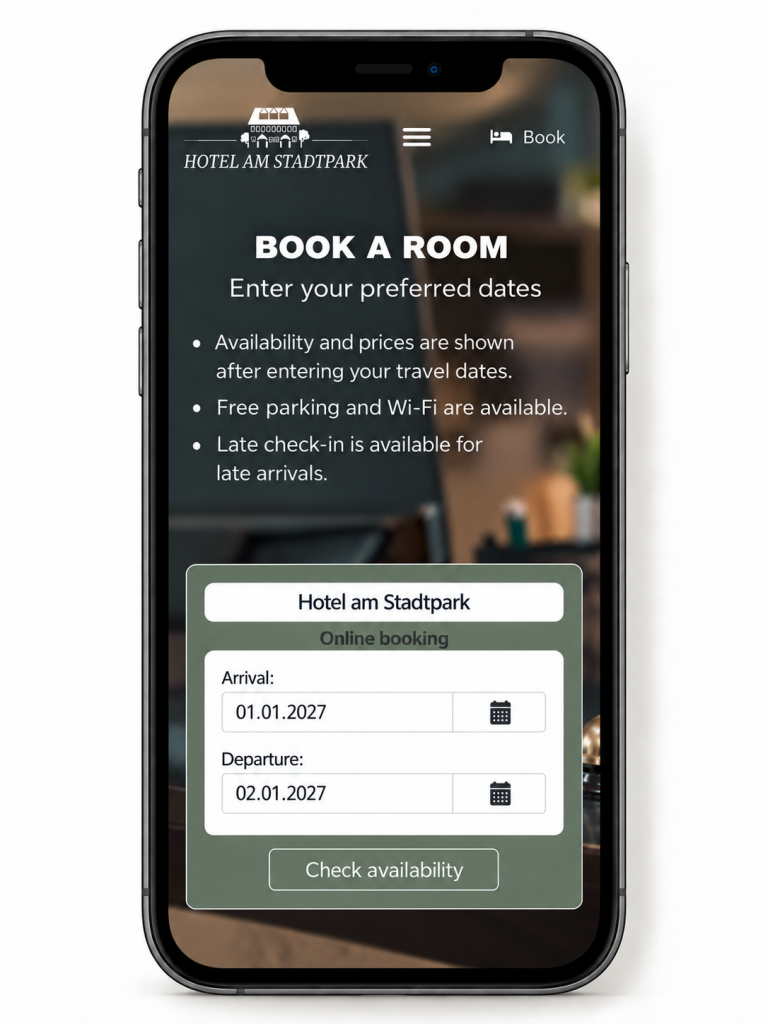
Book your room conveniently through our website or via Booking.com.

Once your booking is confirmed, you will receive a confirmation email along with further information about the digital check-in process.

2.

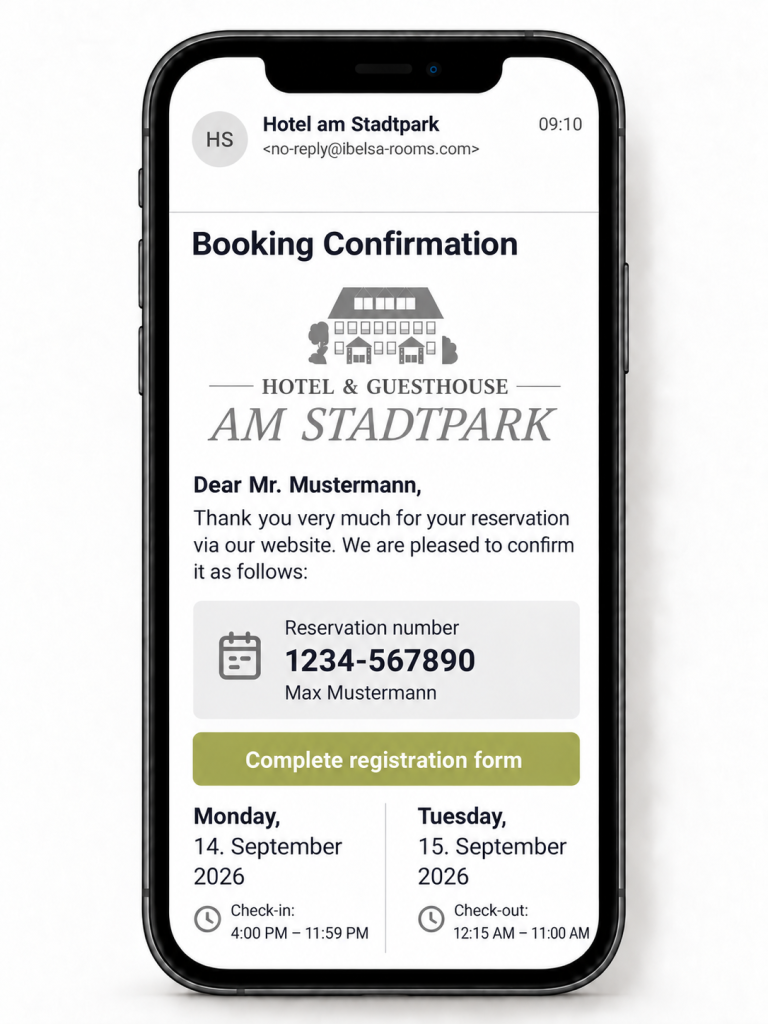
Once your booking is complete, you will receive your booking confirmation by email.

Use the “Complete Registration Form” or “Digital Guest Directory” button in the email to provide the guest details required for check-in.

Completing the digital guest directory or registration form is essential for your subsequent check-in and access to your room details. Please keep this email for future reference.

3.

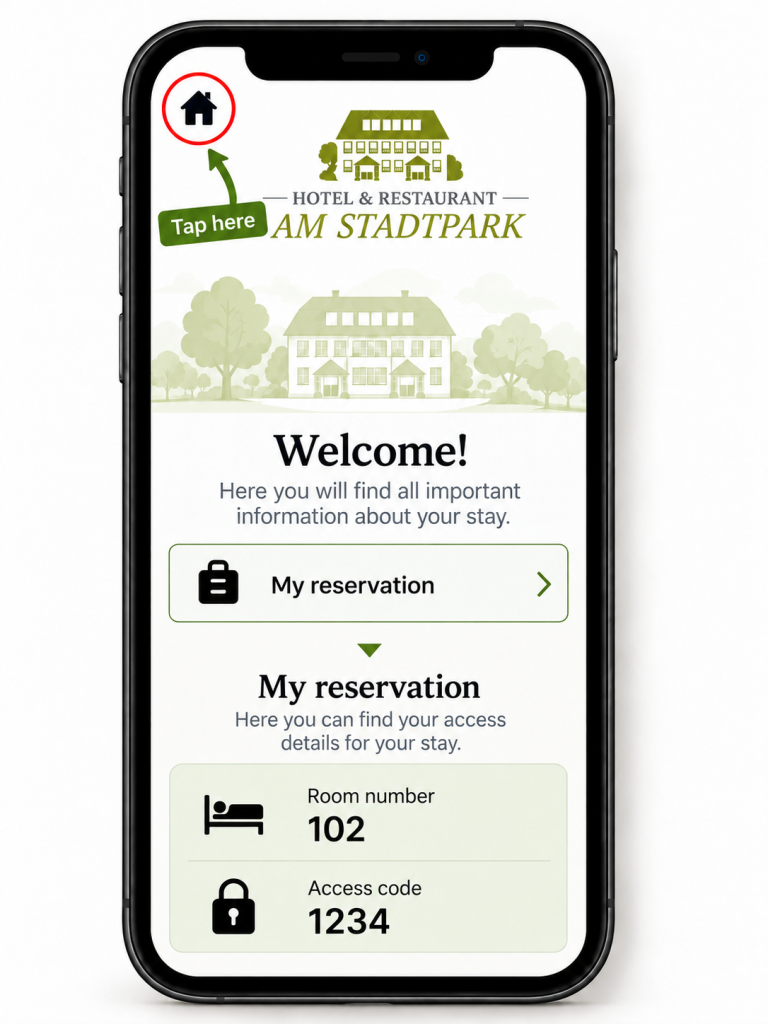
Before arriving, open the digital guest directory again using the link in your email. Then select “My Reservation” to find your room number and personal access code for the hotel entrance and your room.

If you have booked a room for someone else, please make sure to forward all information regarding digital check-in and access details to the guest in good time.

4.

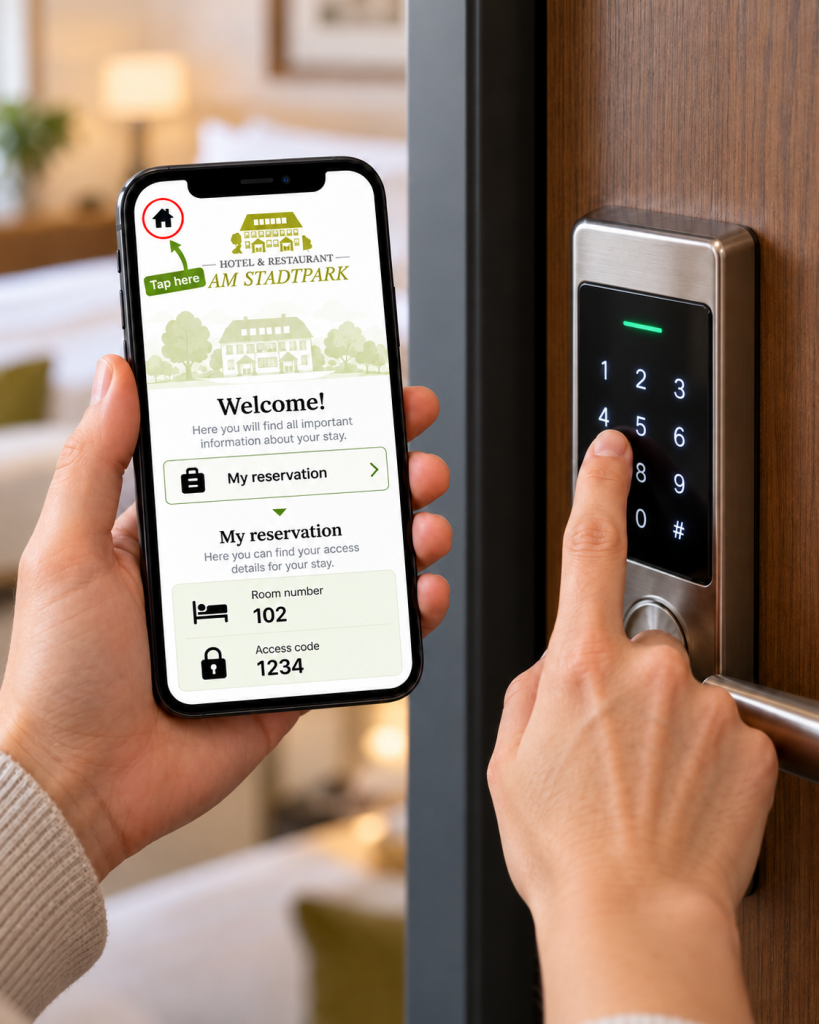
Your personal access code works for both doors. Enter it first at the main hotel entrance and then at your room door. No additional key is required.

Welcome!

We wish you a pleasant journey, a smooth check-in and an enjoyable stay with us in Nordhausen. If you have any questions or need assistance, our hotel team will be happy to help.